You do the follow-up after a treatment by video call, and the patient joins from her phone.
From the appointment in the schedule you send the patient a link, by WhatsApp or email. She opens it on her phone, with no app and no account, types her date of birth and agrees. Voice and video go from one device to the other, encrypted, and the report stays in today’s visit.
- Encrypted from one device to the other
- Transcription, with consent
- Audio recording, separate

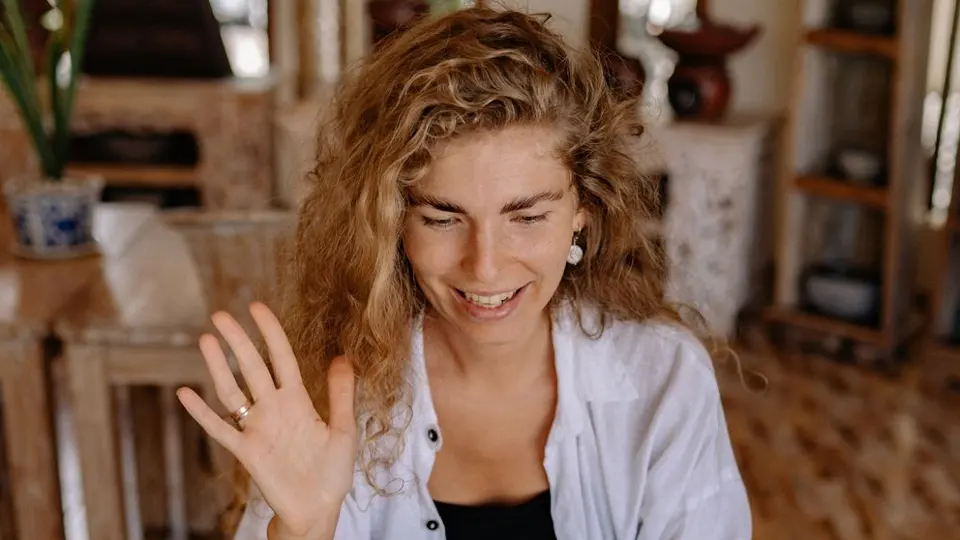
Transcription, in today's visit
DoctorGood morning, how is the gum after the extraction?
PatientMuch better, just a little swollen on the right.
DoctorMove the phone closer and show me the right side.
PatientCan you see it like this?
DoctorYes, it's within normal limits. Let's see each other again in two weeks.
How it works
It takes a few steps, in the same order you work in the practice.
Step 1 of 5
Open the appointment
In Schedule you open the appointment and press Video call. You need a doctor account and the patient’s date of birth in her record.
Video call ready to set up
What it does
Here is what it does, in three points.
Encrypted from one device to the other
Voice and video go directly between the two browsers. If the network does not allow a direct connection, one of our servers relays them, already encrypted and unable to read them.
Transcription, with consent
If the patient ticks transcription, both voices become text in the visit, among the dictations. The audio is not kept, and she can stop it whenever she wants.
Audio recording, separate
It is a separate choice, with its own tick. Only the voice is recorded, never the video: the file is encrypted and sits in Documents, in today’s visit.
- Who it is for
- For practices that want to see how the patient is doing after a treatment, without having her come to the practice.
- Specific features
- No video-call provider in between: voice and video go from browser to browser, encrypted. Transcription and audio recording start only if the patient ticks her consent.
- What it costs
- Included in every plan, from 129 € a month for one doctor, VAT excluded. The first 15 days are free.
Without and with
Here is what changes in the practice's day.
| Without Fibonacci | With Fibonacci |
|---|---|
| For a quick check-up the patient has to come to the practice. | You do the check-up on video: she opens a link on her phone. |
| To call you use some app and ask her to install it. | No app and no account: the patient opens a link. |
| You copy the link and paste it into a message by hand. | You press WhatsApp or Email: the message is already written, you send it. |
| What you said to each other you write from memory, afterwards. | With her consent the call becomes text in today’s visit. |
| A recording of the call stays on the phone of whoever made it. | The audio, if she agrees, is an encrypted file in Documents, with an expiry date. |
In the product
The video call room

Real screenshot of the application, with sample data.
Good to know
Before you use it, there are four things worth knowing.
A check-up, not a visit
It is for after a treatment already done. The first visit and the choice of a new treatment happen at the practice. If the connection is not enough, there is Reschedule in person.
The video is never recorded
The audio used for transcription is not kept. The audio recording, if the patient agrees, is an encrypted file that expires after 30 days: you delete it yourself.
One patient, one device per side
No screen sharing, no subtitles. Closing the tab is the same as leaving: to finish you use End the call.
The draft summary can be wrong
If there is a transcription, an assistant writes a draft. It is not saved by itself: you reread it and add it to the report yourself. The Doctor and Patient labels come from the audio channel, not from the voice.
Related features
It works together with these other parts of Fibonacci.
Questions
Answers to the questions that come up first.
Does the video call go through an external service?
Does the patient have to install anything?
Where does the transcription text end up?
Can I do the first visit by video call?
What do I need on my end?
What happens if the patient gets her date of birth wrong?
What if the network drops during the call?
What stays in the chart at the end?
Can the patient stop the transcription?
Who listens to the audio recording, and where is it logged?
Schedule and practice
Try it in your practice for 15 days, no credit card.
Within one business day we'll call you: we set up the practice together and import your data.
Continue: Patient area →